> For the complete documentation index, see [llms.txt](https://docs.digitalturbine.com/llms.txt). Markdown versions of documentation pages are available by appending `.md` to page URLs; this page is available as [Markdown](https://docs.digitalturbine.com/offerwall-advertisers/advanced-campaign-setup/dynamic-payouts.md).
# Dynamic Payouts
Dynamic Payouts allow survey providers to offer variable rewards for completed surveys within a single session. DT adjusts payout amounts dynamically, which encourages users to complete multiple surveys and improves engagement and campaign performance.
## Setting Up a Dynamic Payout Campaign
To create a Dynamic Payout Campaign:
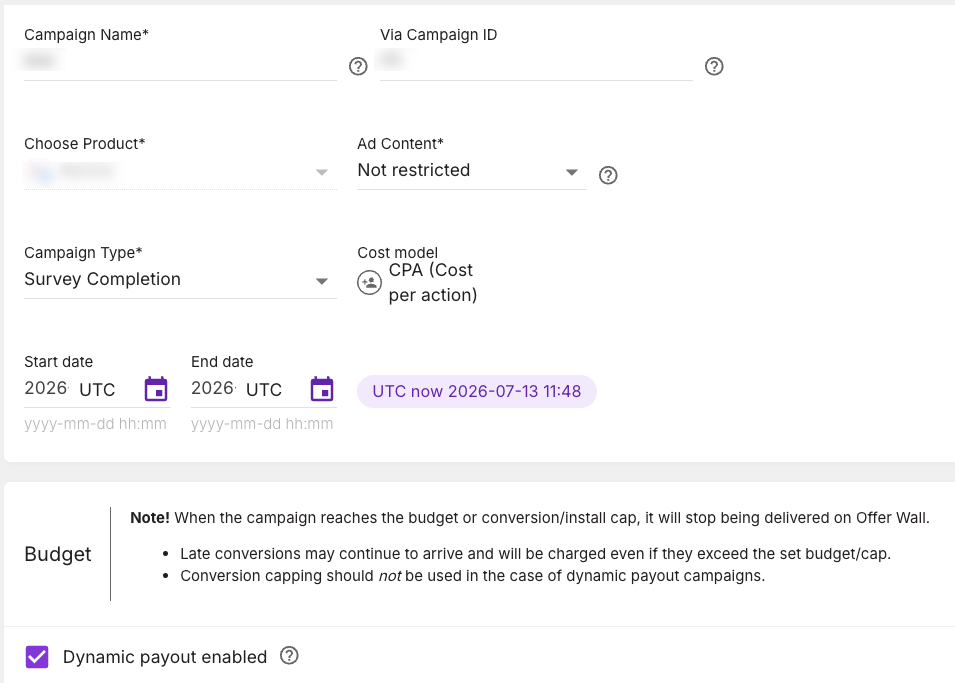
1. Create a [new campaign](/offerwall-advertisers/acp-edge-advertiser-dashboard/campaign-setup.md).
2. Select **Survey Completion** from the **Campaign Type** drop-down list.
3. Select the **Dynamic payout enabled** checkbox in the **Budget** area.
4. Enter the required values in the **Budget** and **Campaign Customizations** areas.
{% hint style="info" %}
The default bid set or micro-bidding bids must equal the total sum of the Advertiser's commission (their full payout).
{% endhint %}
5. Click **Next**.\
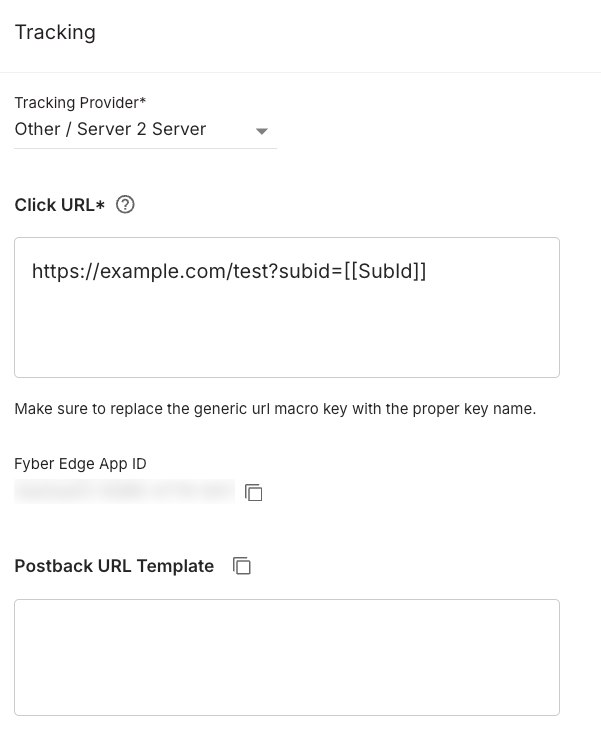
The **Tracking** tab appears.
6. Copy the URL from the **Postback URL Template** field and incorporate it into your tracking provider, as described in [Generating and Implementing the Session Token (CPID)](#h_01fhczsferxhmd1z7v69axm9hc).
{% hint style="info" %}
Dynamic Payouts allow the Advertiser to manage all surveys within a single campaign. You can include additional countries in the **Location Targeting** area on the **Targeting** tab and use [Micro Bidding](/offerwall-advertisers/acp-edge-advertiser-dashboard/micro-bidding.md) to adjust your bids
The survey language updates automatically with the `[[CountryCode]]` macro when you enable localization.
{% endhint %}
## Generating and Implementing the Session Token (CPID)
The CPID (Conversion Postback ID) is a unique token that securely tracks survey completions in web campaigns. The CPID combines unique identifiers, applies a secure hash, and transmits the values through a postback URL.\
Follow these steps and refer to the required values to implement the CPID:
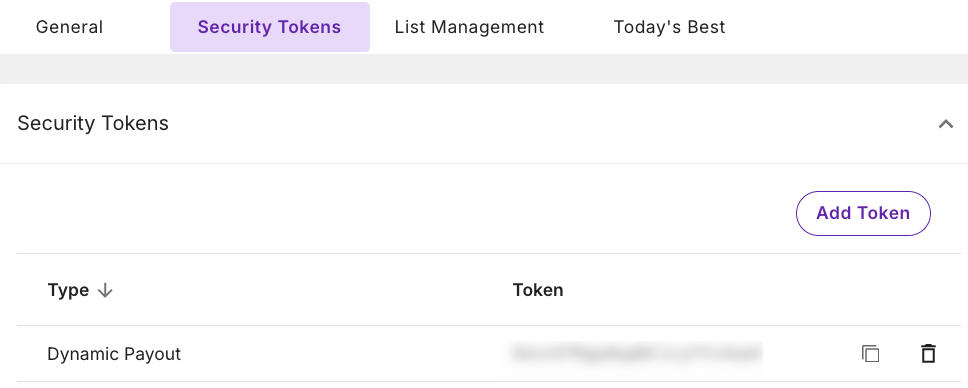
1. Navigate to **Account→Security Tokens** and copy the `Dynamic Payout Token` in the DT ACP Edge Console.
2. Concatenate the `ClickID` and the `Nonce`.\
Ensure the `ClickID` appears first in the concatenation, followed by the `Nonce`.
3. Calculate the HMAC-SHA256 hash hexdigest of `ClickID`+`Nonce`, using the `Dynamic Payout Token` as the HMAC secret.
4. Use the hashed output as your `CPID`.
5. Send the `ClickID`, `Nonce` and the `CPID` parameters in the **Postback URL** callback.
**CPID Values**
| Value | Description | Postback Field |
| ---------------- | --------------------------------------------------- | ----------------------- |
| `ClickID` | Identifies the user's action or click event. | `subid=` |
| `Dynamic Payout` | 32 bytes of random data, hex-encoded. | Not included in the URL |
| `Nonce` | A random value generated uniquely for each request. | `nonce=` |
### Ruby Example for Session Token
Step 1: DT creates the `Dynamic Payout Token`.
{% code title="Ruby" %}
```ruby
require 'securerandom'
advertiser_secret = SecureRandom.hex(32)
```
{% endcode %}
Step 2: The Advertiser creates a `CPID`.
{% code title="Ruby" %}
```ruby
#nonce can be created however you choose provided it's url safe
nonce = SecureRandom.urlsafe_base64(48)
require 'openssl'
cpid = OpenSSL::HMAC.hexdigest(
OpenSSL::Digest.new('sha256'),
advertiser_secret,
"#{click_id}#{nonce}"
)
```
{% endcode %}
Step 3: Send `ClickID`, `Nonce`, and `CPID` as part of the callback.
{% code title="Ruby" %}
```ruby
uri = URI(
"#{FYBER_URI}/actions/v2?#{query_params}" \
"&subid=#{click_id}" \
"&nonce=#{nonce}" \
"&cpid=#{cpid}"
)
Net::HTTP.get(uri)
```
{% endcode %}
### Country Code Macro
Campaigns automatically translate based on the device's language and country code. For example, if `geo=US` (country code) and `lanuage=ES` (device language), the campaign and its description appear in Spanish (or the relevant language).
Use the `[[CountryCode]]` macro in your Click URL to include the country code and dynamically determine the campaign language on your platform or system.
---
# Agent Instructions
This documentation is published with GitBook. GitBook is the documentation platform designed so that both humans and AI agents can read, navigate, and reason over technical content effectively. Learn more at gitbook.com.
## Querying This Documentation
If you need additional information that is not directly available in this page, you can query the documentation by asking a question.
Perform an HTTP GET request on the following URL with the `ask` and `goal` query parameters:
```
GET https://docs.digitalturbine.com/offerwall-advertisers/advanced-campaign-setup/dynamic-payouts.md?ask=&goal=
```
`ask` is the immediate question: it should be specific, self-contained, and written in natural language.
`goal` is what the user is ultimately trying to achieve, the reason they need the answer. Sharing it helps GitBook give you a better, more relevant answer. A goal is most helpful when it describes the outcome the user wants rather than restating the question. For example, with `ask=how do I create an API token`, a goal like `automate deployments from our CI pipeline` lets GitBook tailor the answer to that use case.
The response will contain a direct answer to the question and relevant excerpts and sources from the documentation.
Use this mechanism when the answer is not explicitly present in the current page, you need clarification or additional context, or you want to retrieve related documentation sections.